
ERP Integration and Automated Inventory Management: The Complete 2026 Guide for Growing Businesses
Your sales team sells a product. But nobody told the warehouse. The warehouse ships the wrong item. Finance raises an invoice for the right amount but the wrong goods. And your customer is left waiting.
Sound familiar? This is what happens when your business systems do not talk to each other. Your sales software does not know what is in stock. Your inventory system does not know what has been ordered. And your finance team spends half the day fixing mistakes that should never have happened.
The solution is ERP integration - and in 2026, it is more powerful, more affordable, and more accessible than ever before.
At The Farber Consulting Group Inc., New Jersey, we’ve built custom ERP integrations and automated inventory management systems for over 30 years. In this guide, we explain everything in plain English - what ERP integration is, how it works, what it does for your inventory, and how to get started.
What Is ERP Integration?
ERP stands for Enterprise Resource Planning.
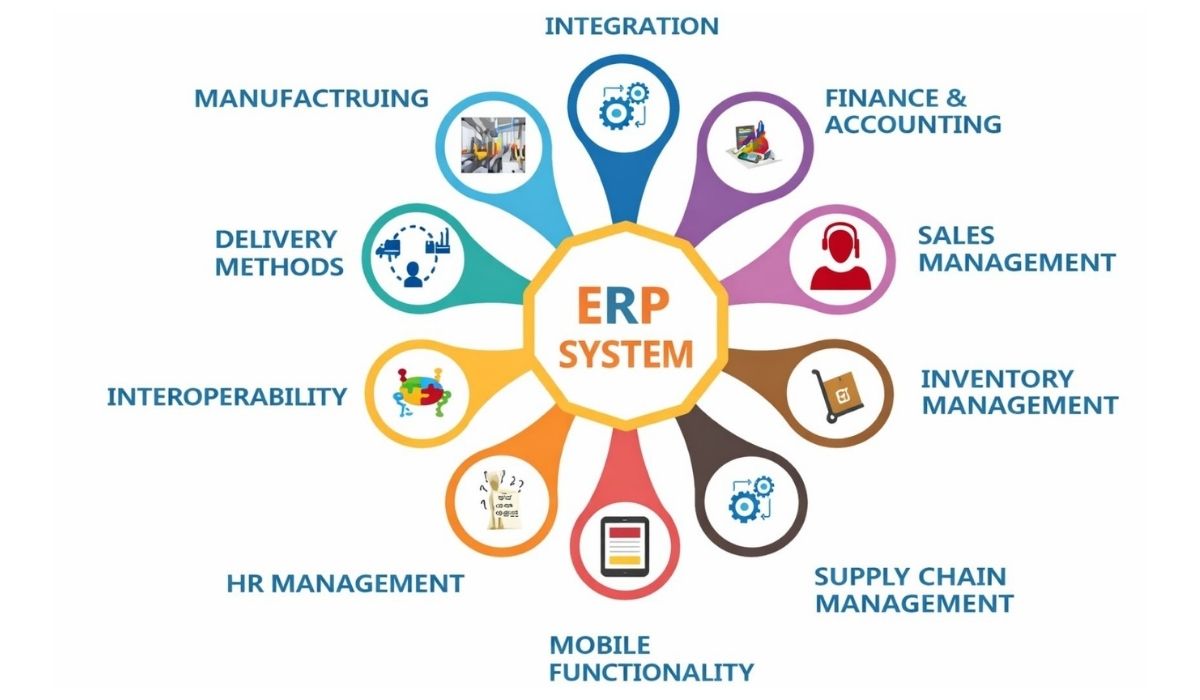
An ERP system is software that links all parts of your business. It brings together inventory, sales, purchasing, finance, HR, and customer management on one platform. Instead of having five separate systems that do not talk to each other, you have one system where everything is connected.
Think of it this way: Your inventory system knows a product just sold. It lowers the stock count. It triggers a reorder from your supplier. It updates your finance system with the sale. It also notifies your CRM to update the customer record. All of this happens automatically - without anyone typing anything into multiple systems.
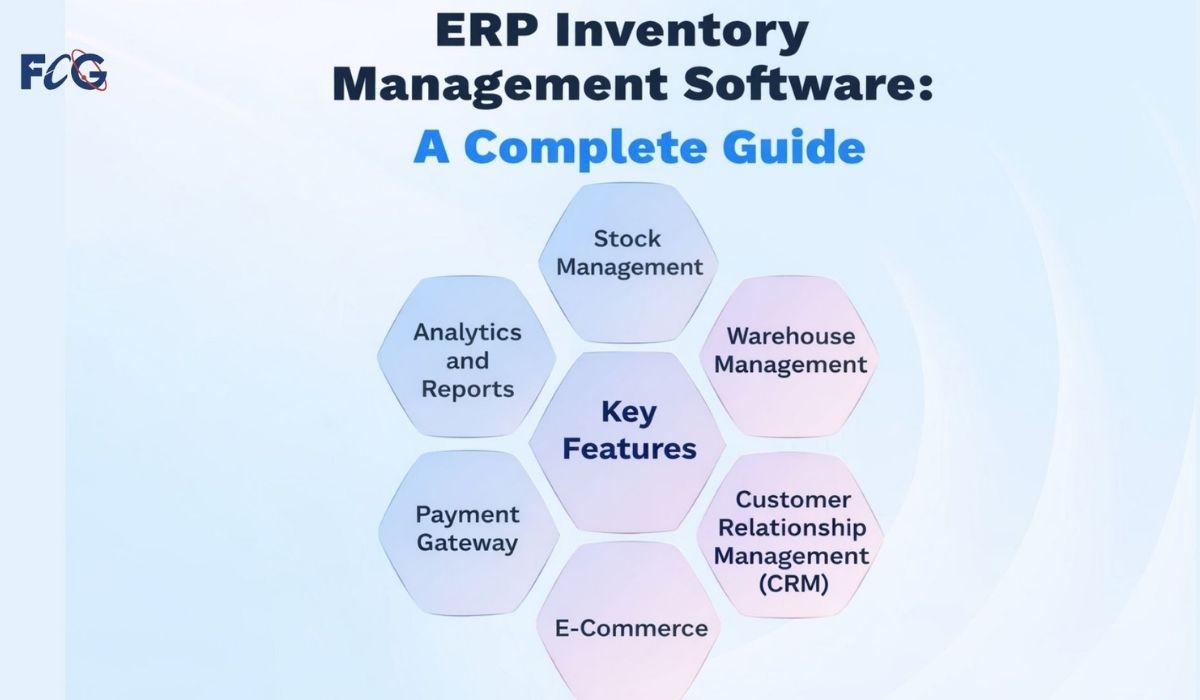
ERP integration links your software tools, like CRM, accounting, and warehouse management, into one ERP platform.
The result is a business that runs faster, makes fewer mistakes, and shows you real-time updates on your entire operation.
What Is ERP Inventory Management - and Why Does It Matter?
ERP inventory management is the part of your ERP system that handles everything to do with stock. This includes:
- Tracking exactly how much of each product you have, in real time
- Knowing where every item is - which warehouse, which shelf, which drawer
- Automatically reordering stock when levels get low
- Preventing overstocking so you do not tie up cash in products that are not moving
- Linking your inventory directly to your sales orders, purchase orders, and finance system
Many businesses manage inventory without ERP. They often rely on spreadsheets, various software tools, or manual counts. This causes stockouts, which happen when customers can't get what they need. It also leads to overstocking, where there's too much unsold product. Plus, it wastes hours each week on manual data entry.
With ERP inventory management systems, all of this is handled automatically. Your inventory data is always accurate. Your team always knows what is in stock. And your business never misses a sale because of a stock problem.
What Is Automated Inventory Management - and How Does AI Make It Smarter?
Automated inventory management handles your stock levels, reorders, and supplier communications automatically. This means no one needs to check, count, or order anything manually.
In 2026, AI takes automated inventory management to a completely different level. Here is how:
AI predicts what you will need before you run out
Traditional inventory systems react - they tell you when you are out of stock. AI systems predict by looking at your sales history, seasonal trends, and supplier lead times. They automatically reorder stock, so you never run low. You never have to worry about stockouts again.
AI spots patterns you would never notice manually
AI can look at thousands of transactions and notice things a human would miss. For example, a particular part always sells out in the third week of the month. Or a specific supplier is consistently three days late. AI flags these patterns and helps you make smarter decisions.
AI connects inventory to every other part of your business
AI-powered ERP inventory systems link your stock levels to sales orders, finance, CRM, and supplier portals - all in real time. When a sale happens, everything updates instantly. No manual entry. No delays. No mistakes.
Natural language reporting - ask questions in plain English
One of the most powerful features of modern ERP systems is natural language querying. Instead of asking your IT team to run a report, you simply type a question like 'What products are running low in Warehouse B this week?' and the system gives you an instant answer. No SQL. No spreadsheets. Just answers.
ERP Integration with CRM - Why Connecting Sales and Inventory Changes Everything
Linking your ERP system to your CRM can really enhance your business. This is what we call ERP and CRM integration services.
Here is why it matters in plain English:
Your CRM knows everything about your customers - what they have bought, what they are interested in, when they last ordered. Your ERP knows everything about your inventory and operations. When these two systems are integrated, something powerful happens:
- Your sales team can see live inventory levels right inside the CRM - so they never promise a product that is out of stock
- When a customer places an order, it goes straight into your inventory system. It then triggers picking and packing and updates stock levels - all without any manual entry.
- Your finance team gets automatic invoices based on what was actually shipped, not what was manually entered
- Customer service teams can see exactly where an order is in real time - without calling the warehouse
- Marketing teams can target customers based on actual purchase patterns pulled straight from the ERP
ERP CRM integration removes the wall between the people who sell and the people who deliver. The result is fewer errors, quicker fulfillment, and happier customers. Plus, the business works as one team instead of five separate departments with five different systems.
ERP Systems for Manufacturing - What Is Different and Why It Matters
If you run a manufacturing business, your ERP needs are different from a retailer or service company. ERP systems for manufacturing handle more than just finished products. They also manage raw materials, production schedules, quality control, and the whole supply chain. This includes everything from suppliers to the factory floor and onto the customer.
Here is what a good ERP system for manufacturing covers:
Raw material inventory management
You need to know how much raw material you have, how much you need for each production run, and when to reorder from suppliers. An ERP system tracks everything in real time. It triggers automatic reorders, so your production line never halts due to a missing component.
Production scheduling and work orders
An ERP system for manufacturing connects your inventory to your production schedule. When a sales order arrives, the system checks material availability. It then schedules the production run and assigns work orders to the right teams. All of this happens automatically.
Quality control tracking
Manufacturing ERPs track quality at every stage of production. If a batch fails a quality check, the system flags it. It also quarantines the affected stock and notifies the right people. No one has to manually update a spreadsheet.
Supplier and purchase order management
With ERP integration, your purchase orders are automatically generated when stock hits a set threshold. You can track supplier confirmations, deliveries, and goods receipts in the system. This gives you complete visibility of your supply chain at all times.
At Farber Consulting, we create custom ERP systems for manufacturers. These systems track raw materials and manage finished product dispatch. Everything is connected, automated, and in one place.
The Real Business Benefits of ERP Integration in 2026
Let us be direct about what ERP integration actually does for your bottom line. These are not theoretical benefits - these are outcomes our clients experience:
Save hours every week: Manual data entry between disconnected systems can eat up 10 to 20 hours per employee per week. ERP integration eliminates most of that. Your team spends time on real work, not copying data from one system to another.
Reduce costly mistakes: When systems do not talk to each other, errors happen. Wrong items shipped. Wrong amounts invoiced. Wrong stock counts leading to missed sales. ERP integration means data flows automatically and accurately - with no human error in the middle.
Make better decisions quickly: With real-time data from your entire business in one spot, you can decide smarter and faster. Which products are your best sellers? Which supplier is causing delays? Which customers are most valuable? The answers are always right there.
Cut inventory costs: Automated inventory management means you hold exactly the right amount of stock - not too much, not too little. This frees up cash that was previously tied up in excess inventory.
Grow without new hires: An integrated ERP system lets your business manage more orders and customers. You can handle more complexity too-without needing extra staff. The system does the work that used to require manual effort.
Improve customer satisfaction: Faster fulfilment, accurate orders, and real-time tracking mean happier customers. And happy customers come back.
Real-World Example: How We Built an ERP Inventory Management System for a Truck Parts Distributor
One of our long-term clients is a truck parts distributor. They have a large inventory in several warehouses. They used spreadsheets, an old desktop app, and many phone calls to manage inventory before working with us.
The problems were significant:
- Stock levels were always out of date - sometimes by days
- Sales staff were promising parts that were actually out of stock
- Reorders were triggered too late, causing production delays for their customers
- Finding a specific part in the warehouse took 15 to 20 minutes
- Finance was spending hours every week reconciling orders with invoices
We built a custom ERP inventory management system that solved every one of these problems:
- A visual warehouse map lets any team member click on a room, a shelf, or a drawer to see exactly what is there - in real time
- Inventory updates automatically with every sale, return, and delivery
- AI-powered reorder triggers send automatic purchase orders to suppliers when stock hits the threshold - no human action required
- ERP and CRM integration means sales staff see live stock levels right inside their customer management system
- Finance receives automatic invoices based on actual shipments - no manual entry needed
The result was a smoother-running business. It made fewer mistakes, satisfied more customers, and saved significant time for every team.
How Farber Consulting Builds Your ERP Integration System
We do not sell off-the-shelf software. Every ERP system we build is custom-designed for your specific business. Here is how our process works:
Step 1 - Free Consultation: We meet with you and your team. We learn about your current systems, find your main challenges, and discuss what you need from the new system. No jargon. No sales pitch. Just an honest conversation.
Step 2 - Business analysis: We document your workflows and interview key team members. Then, we create a Software Requirements Specification (SRS). This SRS outlines what the system will do. You’ll approve it before we write any code.
Step 3 - Database Design: We create a clear, optimized database. It removes duplicate data and runs quickly, even with large volumes. Plus, it’s built to grow with your business.
Step 4 - Prototype: We build a working prototype and show it to you before full development begins. You see what you are getting. You give feedback. We make sure it is exactly right.
Step 5 - Development: We create the complete system. This includes ERP integration, automated inventory management, CRM connection, reporting, and AI features. We use the latest technology like MS SQL Server and cloud deployment.
Step 6 - Launch and support: We launch the system, train your team, and provide a three-month bug-fix warranty. Our remote DBA team monitors your database 24/7 to make sure everything keeps running smoothly.
The Bottom Line: Your Business Deserves Systems That Work Together
In 2026, running a business on disconnected systems is like driving a car. Imagine the steering wheel, engine, and brakes are controlled by different people who can't communicate. It works - until it does not.
ERP integration connects everything. Automated inventory management takes the manual work off your team's plate. ERP and CRM integration removes the wall between sales and operations. And AI-powered ERP systems for manufacturing give you a level of visibility and control that was simply not possible five years ago.
Whether you’re a distributor worried about stockouts, a manufacturer aiming to increase production, or a growing business outgrowing your systems, the solution is the same. You need a properly integrated ERP system, built specifically for the way your business works.
At The Farber Consulting Group Inc., that is exactly what we built. We have been doing it for over 30 years and we are very good at it.

I started to develop custom software since 1985 while using dBase III from Aston Tate. From there I moved to FoxBase and to FoxPro and ended up working with Visual FoxPro until Microsoft stopped supporting that great engine. With the Visual FoxPro, I developed the VisualRep which is Report and Query Engine. We are also a dot net development company, and one of our projects is a web scrapping from different web sites. We are Alpha AnyWhere developers, and the Avis Car Rental company trusted us with their contract management software that we developed with the Alpha Five software Engine.
Comments