
How ERP Inventory Management Replaces Manual Inventory Tracking
Manual inventory tracking methods such as spreadsheets, paper records, and delayed data entry struggle to keep up as inventory volumes and business locations grow. These outdated approaches often result in inaccurate stock levels, stockouts, overstocking, and operational delays. ERP inventory management replaces manual inventory tracking by automating stock updates, reducing human error, and providing real-time visibility across business operations.
ERP inventory solutions centralize inventory data and integrate it with core business functions, while automated inventory management enables faster workflows, accurate tracking, and scalable inventory control for modern businesses. This blog explains how ERP inventory control system replaces manual tracking and why it has become essential for modern businesses.
Key Highlights
- How does ERP inventory management replace manual inventory tracking?
By automating stock updates and providing real-time inventory visibility. - Why do spreadsheets and manual tracking fail as businesses grow?
Because they cause errors, delays, and lack real-time inventory control. - What are ERP driven inventory management systems?
Centralized ERP platforms that connect inventory with sales, purchasing, and accounting. - What is automated inventory management?
System-driven inventory updates that reduce errors and speed up operations. - Who should use inventory management systems?
Businesses need accurate, scalable inventory control across locations.
What Is ERP Inventory Management?
ERP inventory management is a centralized system that tracks and controls inventory in real time by connecting inventory data with key business functions. It replaces manual tracking methods with automation, accuracy, and system-wide visibility.
How ERP Inventory Management Works
- Centralizes inventory data in a single system, eliminating spreadsheets and paper records
- Automatically updates stock levels as inventory is received, moved, or shipped
- Integrates with sales, purchasing, accounting, and warehousing for end-to-end visibility
- Provides real-time inventory status across all locations and departments
ERP Based Inventory Management Systems vs Manual Tracking
- ERP based inventory control systems offer structured workflows and automation
- Standalone tools track inventory in isolation, while ERP connects it to business operations
- Manual tracking relies on delayed updates and human input, increasing errors
By enabling automated inventory management, ERP inventory solution delivers accurate data, faster operations, and scalable inventory control, making it a smarter alternative to manual inventory tracking.
Why Manual Inventory Tracking Fails Modern Businesses
Manual inventory tracking struggles to support modern business operations as inventory volumes and workflows become more complex. Relying on spreadsheets, paper records, or disconnected tools creates gaps in visibility and control.
- No real-time inventory visibility: Inventory data is often outdated, making it difficult to know what is actually in stock at any given moment.
- High error rates: Manual data entry increases the risk of miscounts, duplicate entries, and inconsistent records across teams.
- Time-consuming reconciliation: Regular stock checks and spreadsheet updates require significant time and labor, slowing operations.
- Poor scalability: As products, warehouses, and locations grow, manual systems fail to keep pace and quickly become unmanageable.
How ERP Inventory Solution Replaces Manual Inventory Tracking
ERP inventory system replaces manual inventory tracking by automating inventory processes that were once handled through spreadsheets, paper records, and delayed data entry. Instead of relying on human input, inventory updates happen automatically in real time, improving accuracy and control.
1. Automated Inventory Updates: Inventory levels are updated automatically whenever items are:
- Received into the warehouse
- Picked for orders
- Moved between locations
- Shipped to customers
This removes manual data entry and ensures stock records stay accurate at all times.
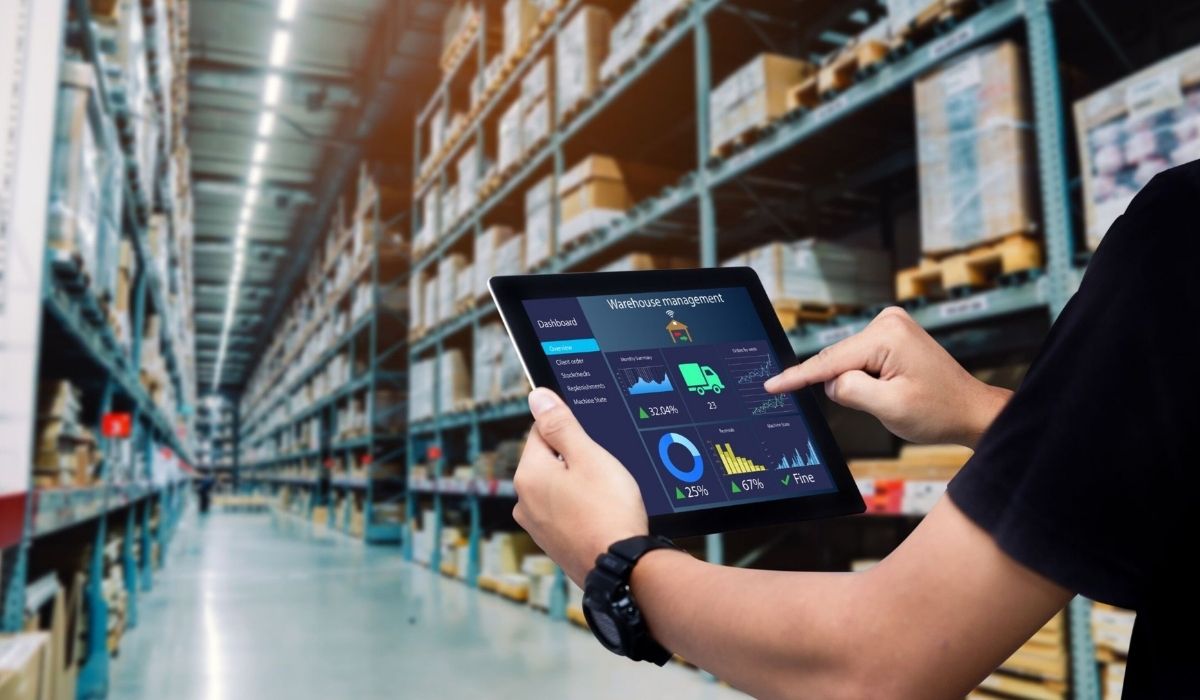
2. Real-Time Inventory Visibility: ERP inventory solution systems provide a centralized dashboardthat replaces spreadsheets and paper logs. Businesses can instantly view:
- Current stock levels
- Item locations
- Inventory status across warehouses
Real-time visibility helps prevent stockouts, overstocking, and operational delays.
3. Barcode and Scanner Integration: Barcode scanning eliminates manual tracking by capturing inventory data instantly.
- Scanning updates inventory in real time
- Reduces miscounts and data entry errors
- Speeds up receiving, picking, and transfers
This makes warehouse operations faster and more accurate.
4. Automated Alerts and Reordering: With automated inventory management, ERP systems:
- Trigger low-stock alerts
- Recommend or auto-generate purchase orders
- Support rule-based reordering
This proactive approach ensures inventory is replenished on time without excess stock.
Key Features of ERP Based Inventory Management Systems
ERP inventory tracking systems are designed to replace manual tracking by delivering automation, visibility, and control across inventory operations. The following features provide the greatest impact for modern businesses.
1. Real-Time Inventory Tracking: Inventory levels update instantly as items are received, moved, picked, or shipped. This real-time tracking ensures accurate stock data at all times and eliminates delays caused by manual updates.
2. Multi-Location and Warehouse Support: ERP systems allow businesses to manage inventory across multiple warehouses, storage locations, or retail sites from a single platform. This centralized view helps track stock movement, balance inventory, and prevent location-based shortages.
3. Integration with Accounting and ERP Modules: Inventory data is directly connected to sales, purchasing, and accounting modules. This integration ensures inventory movements automatically update financial records, purchase orders, and order fulfillment processes.
4. Inventory Forecasting and Reporting:Built-in reporting and forecasting tools analyze inventory trends, usage patterns, and demand. These insights help businesses plan replenishment, reduce excess stock, and improve inventory turnover.
5. Role-Based Access and Controls: Role-based permissions ensure that users only access the inventory functions relevant to their responsibilities. This improves data security, accountability, and operational control.
Benefits of Automated Inventory Management
Automated inventory management helps businesses eliminate manual processes and gain greater control over inventory operations. By using ERP-driven automation, companies improve accuracy, efficiency, and decision-making across the supply chain.
- Reduced Inventory Errors: Automation removes manual data entry, significantly reducing miscounts, duplicate records, and inconsistencies. Inventory updates occur automatically, ensuring accurate stock levels at all times.
- Faster Warehouse Operations: Receiving, picking, transfers, and shipping are completed more quickly through real-time updates and barcode scanning. This reduces processing time and improves overall warehouse productivity.
- Lower Operational and Carrying Costs: Accurate inventory data helps prevent overstocking and stockouts. Businesses reduce storage costs, minimize waste, and optimize purchasing decisions.
- Improved Order Fulfillment: Real-time inventory visibility ensures products are available when orders are placed. This leads to faster fulfillment, fewer backorders, and higher customer satisfaction.
Better Data-Driven Decisions: ERP reporting and forecasting tools provide insights into inventory trends, demand patterns, and usage history, supporting smarter planning and growth.
Manual Inventory Tracking vs ERP Inventory Management Systems
The key differences between manual tracking and ERP-based inventory management are outlined below:
| Manual Inventory Tracking | ERP Inventory Management |
| Spreadsheets and paper records | Centralized ERP platform |
| Delayed inventory updates | Real-time inventory updates |
| High risk of human error | Automated, accurate tracking |
| Limited visibility across locations | Unified view across all locations |
| Difficult to scale with growth | Designed to scale as businesses grow |
By replacing manual processes with automated inventory management, ERP systems deliver accuracy, efficiency, and control, making them a more reliable solution for modern inventory operations.

Who Should Use ERP Inventory Management Systems?
ERP-driven inventory management is ideal for businesses that require accurate, real-time inventory control and scalable operations. They are especially valuable for organizations managing complex inventory workflows or multiple locations.
- Warehouses and distributors: that need real-time stock visibility, fast picking, and accurate inventory movement tracking
- Manufacturing businesses: that manage raw materials, work-in-progress, and finished goods across production stages
- Retail and eCommerce companies: that depend on accurate inventory availability for order fulfillment and customer satisfaction
- Growing businesses replacing spreadsheets: as inventory volumes and SKUs outgrow manual tracking methods
- Companies needing inventory accuracy and control: to reduce errors, prevent stockouts, and support data-driven decisions
Final Words
As inventory complexity increases, manual tracking becomes inefficient and risky. Automated inventory management provides a future-ready approach, helping businesses maintain accuracy, improve fulfillment, and make better data-driven decisions.
At The Farber Consulting Group Inc., our Automated ERP Inventory Management Solutions are designed to replace manual inventory processes with customized, real-time ERP systems built around your operations. Learn more about how our solutions can help you streamline inventory management and support long-term growth.

I started to develop custom software since 1985 while using dBase III from Aston Tate. From there I moved to FoxBase and to FoxPro and ended up working with Visual FoxPro until Microsoft stopped supporting that great engine. With the Visual FoxPro, I developed the VisualRep which is Report and Query Engine. We are also a dot net development company, and one of our projects is a web scrapping from different web sites. We are Alpha AnyWhere developers, and the Avis Car Rental company trusted us with their contract management software that we developed with the Alpha Five software Engine.
Comments